Quick Answer
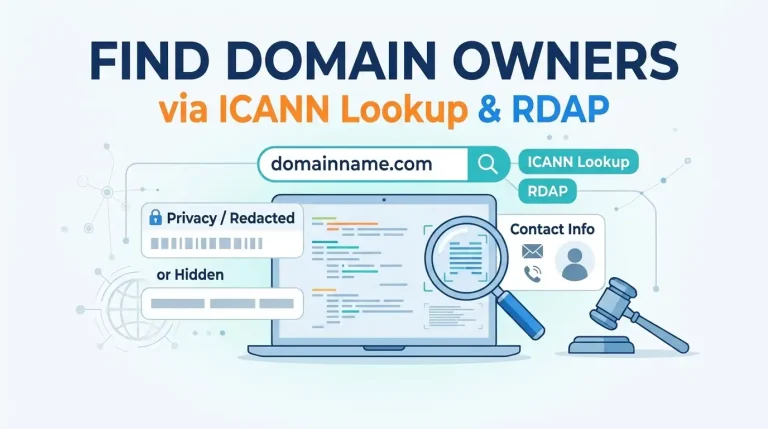
A domain owner lookup will give you the registrar and dates of creation/expiration along with the name servers of the domain. Most of the time the name and contact details will be hidden. Try an ICANN Lookup or RDAP query first to see the registration data. Only go to the Registrar if you need private data.
Finding out who owns a domain can be very quick to do. Understanding the information can be a bit of a pain. Most people expect to find a name, phone number, etc. However, you will be presented with some dates, the name of the registrar and a load of hidden data.
In this guide we will explain what data will be found in the public registration. Why RDAP has replaced WHOIS for most generic domains. What to do when the contact details are hidden behind a privacy service. And finally what the official legal routes cost. If the domain is relevant to your business we can perform these checks for you as part of our web development and digital marketing services.
What You Need To Know Before You Start
There are four main things to consider.
Know What The Lookup Will Show
The domain registration will act as a document. You will find the registrar, date created, date expired, name servers and status codes. By default the name, post code, email and phone number of the registrant will be hidden.
Use The Correct Tool
WHOIS has been discontinued for generic top level domains in January 2025. The new method used is RDAP (Registration Data Access Protocol). The most reliable free option is by using ICANN Lookup at lookup.icann.org. Some country code domains will still return data via WHOIS only tools but this data will become more sparse.
Know Why Information Is Hidden
Due to privacy laws changing, the GDPR in the EU means that registrant contact details are classed as personal data. As a result registrars hide this information and provide a request process. This means that two similar domains might show very different amounts of data based on when they were registered and what registrar they are with.
Have A Reason For Asking
No one will just provide you with the hidden information. The only way to get non-private data is through the ICANN Registration Data Request Service or the registrar. This is only provided for trademark enforcement, abuse investigations, legal matters and regulatory requests. If you are looking for a vague reason then you will be turned down. Be sure to note down why you need this information and what evidence you can provide.
How To Perform A Domain Owner Lookup
- Use ICANN Lookup. Enter your domain name at lookup.icann.org to find the registrar, dates, name servers and status codes.
- Status codes will show you whether the domain is active, locked, disputed or near expiry. They will show information such as clientTransferProhibited, clientHold and redemptionPeriod.
- Name servers will show you where the host is. You can also perform a reverse IP lookup to see what other sites are using the same server. These will often be owned by the same person.
- Country code domains will need to be looked up on the registry. For .np domains you can look them up at register.com.np. This is the official registry run by Mercantile Communications in Kathmandu.
- Look at the website. Often the about page, contact form, privacy policy and footer will show the name of the company/person.
- Search for the domain in quotes. Often you will find the name from news articles, social media profiles, business directories and old WHOIS records.
- Contact the Registrar or Privacy Proxy. Most privacy proxies will pass on the emails to the actual registrant. A short polite message is often enough.
- Contact Through The Correct Channels. If the domain is being used against you then raise an abuse report with the registrar and host. Or make an RDRS request. Trademark issues should go through the UDRP process.
Overview Of Lookup Options
| Option | Information Provided | Best For |
|---|---|---|
| ICANN Lookup / RDAP | Public gTLD information – Registrar, Date Created, Date Expired, Name Servers, Status Codes | Quick and free option for .com, .org, .net and most new domains |
| Registry WHOIS (ccTLDs) | Country code domain registration information. For Nepal this can be found at register.com.np. | Local domains such as .com.np, .org.np and .np. |
| Registrar Tools | Same public information as above but will show private/Proxy contact details. | Domains you might want to purchase/lease. |
| Reverse WHOIS / History | Names, emails and historical data from multiple related domains. | Trademarks and security issues. Usually charged. |
| Legal Route (RDRS, UDRP) | Non-private data will be given for legitimate requests. | Abuse, Trademarks and Legal Claims. |
For most general questions you can use the first two options. The charges and legal options will only be relevant if the information has been intentionally hidden.
Cost Of A Domain Owner Lookup
Costs can vary so below are just guidelines. Be sure to check the current rates.
| Item | Typical Price Range | Notes |
|---|---|---|
| Public (ICANN / Registry) | Free | Will cover most of your needs. |
| Reverse WHOIS / History | Up to around NPR 15,000+ a month | Free options will be limited. |
| RDRS Request | Free | What information is shown is up to the registrar. |
| UDRP Dispute | Around USD 1,500+ for one panelist. | Three panelists and expedited service will cost more. |
| Domain Broker | Percentage of sale price. | Useful for contacting domain owners for sale. |
If this is part of a larger branding project then consider the cost of building a full website using our guide to building a small business website in Nepal. If you are still deciding where the site will live, our domain and hosting guide and our breakdown of the best web hosting in Nepal cover the rest of the setup.
Common Mistakes When Looking Up Domain Owners
- Expecting a name and phone number. Most domains will be hidden.
- Using a WHOIS only tool. RDAP is the current standard for generic domains. Older tools will give outdated or blank results.
- Thinking the registrar is the owner. The registrar is a reseller.
- Using lookup data for marketing lists. Registrar agreements state you cannot use registration data for mass cold contacting.
- Thinking the domain owner is protected by privacy. Most privacy addresses will pass on to the registrant.
- Not checking the website and DNS. Contact details, footers and email verification will often give you more information.
Frequently Asked Questions About Domain Owner Lookups
How Can I Find Out Who Owns A Domain Name?
Use lookup.icann.org for any generic domain. Or the relevant registry for country code domains. If the domain is hidden then provide a legitimate reason to get the information by making an RDRS request.
Is A Domain Owner Lookup Legal?
Yes. It is legal to look up public registration data. However you cannot scrape or spam due to registrar agreements. Non-public data will only be given for approved reasons such as legal or trademarks.
Why Is The Name Of The Domain Owner Hidden?
Due to privacy laws the contact details of the registrant are seen as personal data. As a result registrars hide this information and provide a request process. Often older domains will show a lot more data.
Can I Find Out Who Owns A .com.np Domain?
Yes. The .np namespace in Nepal is run by the official registry at register.com.np. This provides a WHOIS lookup. However, generally you will need to be a local company or have a trademark in Nepal to register a .np domain. As a result you will usually be able to find the registrant from business records.
What If The Domain Has Privacy/Proxy Protection?
Contact the privacy/proxy address shown. Most will pass this on to the registrant. If this doesn’t work and the domain is for sale then you can use a domain broker to contact the owner.
How Long Does It Take To Get Owner Details?
A public lookup will be instant. An RDRS request will usually take days to process as it goes through the registrar. A UDRP dispute will be a formal process and usually takes a few weeks. There will be fees to pay to file and usually legal support.
Getting Started
Perform the lookup today. Start with an ICANN Lookup, then registry for anything under .np. Check the website and search in quotes. If the domain is hidden then make note of why you need to know and contact the registrar using the official channel. Keep the momentum going by reading our web hosting news.
Further Reading
- How Much Does SEO Cost In Nepal?
- How To Switch Hosting Providers Without Downtime.
- How To Build A Small Business Website In Nepal.
- How To Start A Blog Website In Nepal.
- Best Fully Managed Web Hosting In Nepal.
See how these projects fit together in our web and SEO project portfolio or contact us to get your domain and hosting questions sorted.