Quick Answer
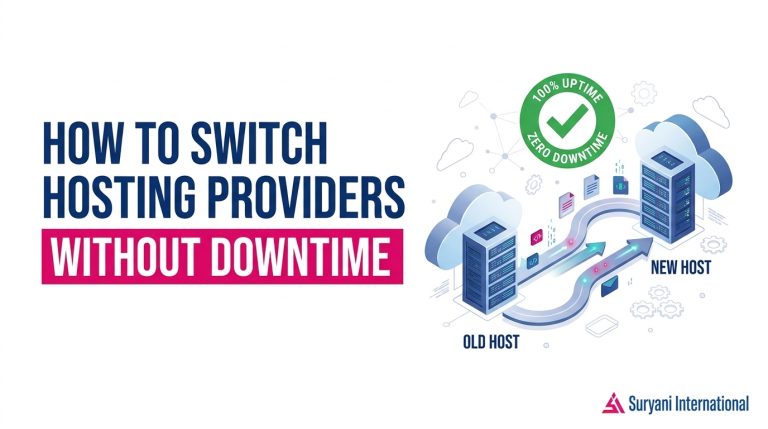
To switch hosting providers without downtime, copy your files and database to the new server first, lower your DNS TTL a few days in advance, test the site on a temporary URL, then point the domain to the new host only once everything loads correctly. Your visitors keep seeing the old live site until the DNS switch, so nothing breaks during the move.
Below is the full process, including the checks worth doing before you sign up with a new company and the mistakes that usually cause outages. The steps apply to WordPress sites, business sites, and online stores, whether you run them from Nepal or anywhere else.
What switching hosting providers without downtime actually involves
A website lives in two places at once. Your files and database sit on a server, and your domain name tells browsers where to find that server. Moving hosts means copying the first part to a new machine and updating the second part.
The second part runs on DNS, the system that translates a domain name into an IP address. DNS records are cached around the world, so a change takes time to spread. That delay is exactly what makes a zero downtime move possible: visitors who still have the old address cached keep loading your current site while the new server quietly gets ready.
So the real job is preparation. You build the complete site on the new host, confirm it works, and switch the address last. Anyone who changes DNS first and uploads files second creates the outage they were trying to avoid.
Why site owners look for a new host
Hosting comparisons usually come down to speed, security, room to grow, and cost. A faster server shortens page load times, good security practices protect customer data, and scalable resources keep a site responsive as traffic rises. Compared with older or shared traditional setups, modern hosting plans often deliver all of that at a lower running cost.
Price matters too, especially for small businesses watching every expense. Anyone researching hosting price in Nepal will notice a wide range between budget shared plans and managed packages. Plans from Suryani International’s web hosting services start at Rs. 9,999 and include free SSL, cPanel access, daily backups, and 24/7 support, which gives you a useful reference point when you compare offers.
Different kinds of sites break in different ways when a server struggles. A travel operator publishing seasonal trek schedules, a clinic sharing appointment details, and an independent writer running a growing blog all need the same basic thing from a host: pages that load when someone clicks. Well-run Himalayan travel and trekking websites, health and dental practice websites, and personal blogs and online journals depend on uptime just as much as a large store does.
How to switch hosting providers without downtime, step by step
The order below is what keeps the site online. Each step finishes before the next one starts.
- Keep the old account running Sign up with the new host, but don’t cancel anything yet. The old account is your safety net and your fallback if something goes wrong mid-move.
- Take a full backup first Download your files and export your database from the old host before you change anything. Daily backups help, but a copy you control is better than one you have to request.
- Upload everything to the new server Move the files, create a new database, import the data, and connect the two. In cPanel this is mostly file uploads plus a database user with the right permissions.
- Test on a temporary address Most hosts give you a preview URL or a temporary subdomain. Check every page, form, image, and admin login there before a single visitor sees it.
- Lower the DNS TTL early A few days before the switch, reduce the TTL value on your current records to something short, such as 300 to 600 seconds. This shortens how long the old address stays cached after you update it.
- Point the domain at the new server Once the test site passes, update the nameservers or A records. This is the only step visitors notice, and by now the new server already serves the same content.
- Watch, then close the old plan Monitor the site for a few days, confirm email accounts still work, then cancel the old plan. Keep your backup until the new host has handled real traffic for a while.
If you use WordPress, a migration plugin or your host’s own migration tool can handle the file and database copy for you. You still control the order: build, test, then update DNS.
What to check before you choose a new provider
A cheap plan that fails during a traffic spike costs more than a slightly dearer one that holds up. Compare these points before you commit.
- Uptime and server speed Suryani International advertises lightning fast servers and 99.9% uptime with free SSL certificates, which is a reasonable benchmark when you read other offers.
- Backups and restore options Daily backups only help if you can restore them quickly. Ask how far back the backups go and whether a restore is free.
- Control panel access cPanel makes file, database, and email management simpler, which shortens any future migration.
- Support hours and channels 24/7 support matters most at the moment something breaks, not during the sales chat.
- Local payment and billing Check whether the provider accepts local payment methods such as eSewa and Khalti, and whether renewal pricing matches the first-term price.
- WordPress readiness Look for one click WordPress installation, PHP version choices, and enough database allowance for your plugins.
Free plans versus paid plans
Free hosting has its place for experiments and student projects. It rarely suits a business site, because free plans typically share very limited resources, offer little or no backup support, and give you no guarantee when traffic arrives. People searching for free hosting providers in Nepal usually start there and move to a paid plan once the site starts earning or collecting leads. The same pattern applies to cheapest web hosting in Nepal: the lowest price is worth it only when the basics, like SSL, backups, and support, are included.
Common mistakes that cause downtime
Most migration outages come from a handful of avoidable errors.
- Changing DNS before testing. If the new server has a missing file or a broken database connection, visitors hit the error immediately instead of the old working site.
- Skipping the backup. Without your own copy, a failed import leaves you asking the old host for help under time pressure.
- Leaving a high TTL in place. If your records are cached for 24 hours or more, the switch drags on and some visitors see the old server long after the move.
- Forgetting email. Mailboxes, MX records, and contact forms break quietly, and you often notice only when messages stop arriving.
- Cancelling the old plan too early. Close the account after the new host has served traffic for several days, not the same afternoon.
- Ignoring the domain renewal date. Keep your domain registration current through the move so DNS changes take effect normally.
A simple migration timeline
You don’t need a complicated schedule. A week is usually enough, and the sequence below keeps the live site untouched until the final step.
| Stage | What happens | What you do |
|---|---|---|
| Day 0 | Backup the current site | Download files and export the database from the old host |
| Day 1 to 3 | Build the site on the new server | Upload files, import the database, install SSL, test on a temporary URL |
| Day 3 | Lower the DNS TTL | Shorten the TTL so record changes spread quickly |
| Day 4 | Point the domain | Update nameservers or A records to the new server |
| Day 5 to 7 | Monitor traffic and email | Check pages, forms, and mail delivery on the new host |
| After day 7 | Close the old plan | Cancel only once the new server has run without issues |
Frequently Asked Questions
Can I switch hosting providers without downtime?
Yes. Copy your files and database to the new host, test the site on a temporary URL, lower your DNS TTL a few days ahead, and only then update your DNS records. Because visitors keep following the cached address until the change spreads, the old site stays live while the new one takes over.
How long does a hosting migration take?
The file and database copy usually takes a few hours on a small or medium site, and larger sites with lots of media take longer. The DNS change itself needs time to spread across the internet, so plan for a few days of overlap before you cancel the old plan.
Do I have to transfer my domain to the new host?
No. You can keep the domain registered where it is and simply change the DNS settings to point at the new server. Transferring the domain is optional and often easier to handle later, once the hosting move is stable.
Is free hosting good enough for a business website?
Free plans work for testing and small personal projects. Business sites usually need reliable uptime, SSL, backups, and someone to contact when something breaks, and free hosting rarely includes all of that. A low-cost paid plan is generally the safer starting point.
A safe move, done in the right order
Downtime during a migration is almost always an ordering problem, not a hosting problem. Build first, test second, and change DNS last, and the switch stays invisible to your visitors.